Where does your dealership lose time: taking the photos, editing them, or getting them published? That is the simplest way to choose between Autopix and CarPixAI.
CarPixAI starts with the photo. Autopix starts with the car.
If your team already takes consistent vehicle photos and mainly needs fast, inexpensive AI editing, CarPixAI may be all you need. If different employees shoot cars differently, if reshoots slow you down, if publishing still involves manual steps, or if some vehicles need a human quality check, Autopix covers more of the workflow.
CarPixAI starts at $19 per month. Autopix starts at just 89 kr per car.
We build Autopix, so this comparison is not pretending to come from a neutral publisher. The product and pricing information below reflects each company's published pages as checked on 3 September 2026. Rather than ask you to trust our opinion about whose images look better, we will show you where each product fits and give you a simple way to test both on your own inventory.
Choose CarPixAI when your team already produces good, consistent source photos and you want affordable, self-serve AI editing.
Choose Autopix when you want a consistent process from taking the photos through editing and, where required, publishing or human quality control.
Not sure? Take your most difficult car, put the same source photos through both systems, and time the entire job. Do not measure only AI processing time. Measure the time from standing beside the car to having finished images ready where your listings need them.
Autopix offers three real orders free. CarPixAI offers five trial photos without a card or another payment method.
The overlap is AI editing, but the real difference is how much work each product handles before and after the edit.
At the first, one experienced employee photographs every vehicle. The shots are consistent, the angles are predictable, and the dealership simply wants the forecourt removed, a clean background added, and the finished files exported quickly.
That dealership may not need a bigger workflow, and CarPixAI fits the job well.
At the second, several employees photograph inventory.
One stands too close. Another misses an angle entirely. Cars are framed differently depending on who has the phone that afternoon, without any shared reference for consistent camera settings, and finished photos have to be downloaded and moved into another system before the listing goes live.
For that dealership, editing is only part of the problem.
That is the distinction between the two products.
Upload your existing images, choose the background, output format, lighting treatment and plate option, compare the result with the original, then export the files you approve. There is no assisted capture workflow, and if your photography process already works, that simplicity is an advantage rather than a gap.
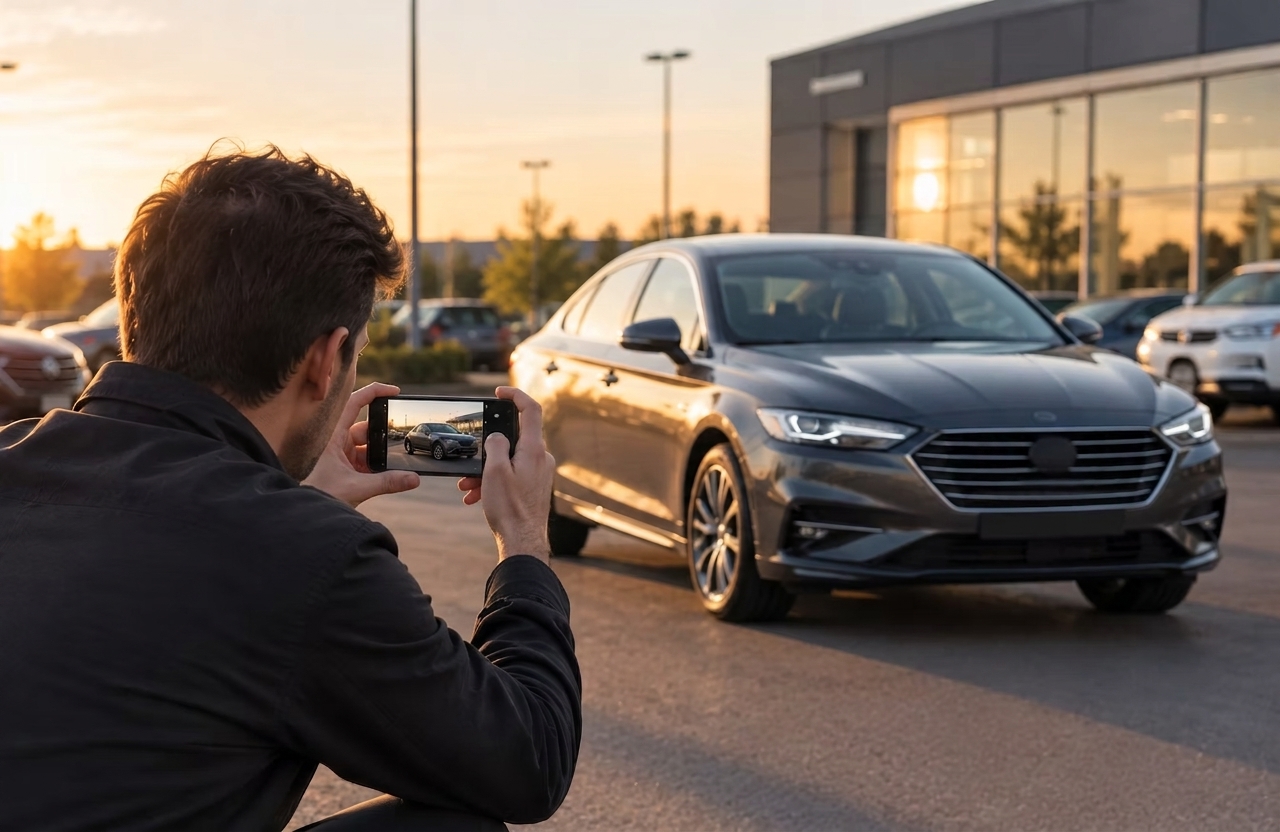
Open Autopix – the photo studio app for dealerships beside the vehicle.
The Photo Guide gives employees a consistent shooting sequence while the bounding box helps standardise the position and framing of the car, and the images then move directly into editing.
If the source files already exist, they can be uploaded through the web platform instead.
Why does this matter? AI can improve a photograph you took, but it cannot recover the angle nobody photographed, and it cannot stop the next employee from framing tomorrow's car differently.
And it cannot undo a reshoot caused by inconsistent capture!
If your source photography is already under control, you may not need capture guidance. If photography is where the inconsistency begins, fixing the process before editing usually saves more work than making the edit itself faster.
If you compare only editing cost, CarPixAI is cheaper.
The two products charge for different amounts of workflow, though, so the headline prices are worth unpacking because Autopix has no setup cost or running monthly subscription, offering flexible pricing to fit every dealer (small or large), based on volume.
Figures below use the mid-market rate of 1 USD to 9.3 kr on 3 September 2026.
Starter is $19, around 177 kr, for 50 photos. Professional is $69, around 642 kr, for 200 photos. Business is $149, around 1,386 kr, for 500 photos. Unused credits roll over. That works out at roughly 3.5 kr per image on Starter and 2.8 kr per image on Business.
Up to 10 images is 89 kr per car, up to 20 images is 139 kr, and up to 60 images is 189 kr.
Up to 10 images is 149 kr per car, up to 20 images is 199 kr, and up to 60 images is 249 kr. Plus includes professional retouching and human quality control.
All Autopix prices are billed monthly and exclude VAT, and the full breakdown of what sits in each tier is on the Express and Plus plans page.
A ten-photo listing costs approximately 35 kr on CarPixAI Starter and 89 kr on Autopix Express. If the only job you need solved is AI editing, that difference is real and worth taking seriously.
The question worth asking alongside it is what your dealership spends outside the editing screen. That includes getting several employees to photograph cars consistently, fixing poor source photography, reshooting missing or badly framed angles, reviewing unusual AI results, downloading finished files, and moving those files into the listing workflow.
We have written about where the time actually goes in a dealership photo process before, and editing is rarely the largest share of it.
Autopix's higher price covers guided capture and gives you access to human review, integrations and dealership support, and whether that is worth the difference depends entirely on where your staff currently spend their time.
Volume is the other half of it.
CarPixAI's largest published plan covers 500 photos a month, which is around 50 vehicles on a ten-image set, and higher volumes are quoted separately. Autopix has no equivalent monthly ceiling because billing is per vehicle.
So it’s important to compare cost per completed listing, not just cost per edited image.
CarPixAI gives you more self-serve control over the exported file. You get five dealer scenes, six output ratios, standard or experimental full relighting, and three number-plate treatments: keep the original, blank the plate face, or insert your dealership logo.
Each processed image can be compared against its source before you export it.
Autopix places more emphasis on dealership-wide visual consistency. Both tiers support custom backgrounds and floors, logo placement and mirror reflection removal, and Plus adds branded licence-plate replacement.
Mirror treatment is a small detail until it goes wrong. A perfectly replaced background can still look artificial if the old forecourt remains clearly visible in the wing mirrors and other reflective surfaces, and it is usually the first thing that gives a composite away.
Controlling reflections in the original shot reduces how much any editing tool has to fix afterwards.
There is also a boundary both products recognise, and it matters more than any single feature, because the vehicle itself should remain the vehicle the customer will come to inspect.
Autopix does not remove or disguise defects on the body of the car, and CarPixAI describes the same limitation. Better presentation should not mean changing the product being advertised.
Most inventory photos do not need a human editor. The important question is what happens to the exceptions.
Processing generally takes seconds to around a minute. You compare the finished image with the original, and if something is not right, you can reprocess it or try another background. The final review stays with you.
Express is also fully automated. Images normally return within minutes, which suits everyday inventory where speed matters most.
Plus adds a trained editor who reviews colour accuracy, composition and consistency before delivery on the next business day, at 60 kr per vehicle more than the corresponding Express package.
That creates a useful option because you do not have to pay for manual review on every vehicle. Routine stock can move through Express, while a car where presentation matters more (or where the source images are unusually difficult) can go through Plus.
An edited image is not a published image, as someone still has to get it into the listing.
Autopix offers marketplace and DMS integrations with Bilink, Carweb, Drive and Wayke, so finished images move further into the dealership's listing workflow without a manual handover, and photos created through the app are published daily to Finn.no and other Nordic marketplaces.
CarPixAI currently relies on file or ZIP download and states that direct DMS and listing-feed integrations are not yet available.
For a dealership with a small volume of cars, manual publishing may be completely acceptable. At higher volumes, another download and upload repeated across every vehicle becomes part of the cost, which is why comparing thirty seconds against two minutes on the processing screen can be misleading.
Start the stopwatch beside the car and stop it when the listing is ready.
Both companies offer free trials. Use them, but do not test your easiest vehicle.
Choose something that exposes weaknesses: dark paint, chrome, mirrors, complicated wheels, difficult reflections, visually busy surroundings.
A brighter (for example, silver) car photographed in perfect light will tell you very little about either tool.
If you are judging editing quality, both tools should receive the same files – otherwise, you are comparing your photography as well as the software, and you will not be able to tell which one produced the difference.
Inspect the finished files at full size.
Look at wheel spokes, mirrors, aerials, rooflines, windows, vehicle edges, the transition between the tyres and the floor, and any reflections that belonged to the original environment.
An artefact you barely notice in a thumbnail becomes obvious when a shopper opens the full listing.
If you want a reference point before you start, see example output at full size.
CarPixAI can retain the existing plate, blank its face, or insert a dealership logo.
Autopix Plus offers branded plate replacement.
Choose what your dealership actually wants first, then compare each product against that requirement rather than against each other.
Your customer is not buying a car from the editing interface. Export the image at the ratio your marketplace uses, open the listing on a phone, and judge the photograph in the environment where the buyer will actually see it.
Include taking the photographs, uploading, processing, reviewing, reprocessing, downloading, re-uploading, reshooting where required, and moving the images into the listing.
AI processing time is a feature, but it’s your total workflow time that’s a real, measurable business cost.
Ask where your problem begins.
Your source photography is already consistent, you mainly need affordable AI editing, and you are comfortable handling the final publishing steps yourself. Look closely at CarPixAI.
Several employees photograph vehicles, framing and angles vary, and missing or inconsistent shots create extra work downstream. Autopix's guided capture becomes the more valuable half of the product.
You want finished images moved further into the listing workflow, or you want the option of human quality control on the vehicles that need more attention.
Autopix covers more of that process.
Test the part of your workflow that gives you the most trouble. Take your most difficult vehicle, photograph it exactly as your staff normally would, and put the same source images through both systems. Zoom in on the difficult edges, view both results in the marketplace format your customers use, then compare how much staff work it took to get from the vehicle to the finished listing. Better images are only part of getting more from your listings, but they are the part you can change this week.
CarPixAI gives you five trial photos. Autopix gives you three real orders free. No showroom-perfect test car, no hand-picked demo image.
Try Autopix on the car your current process struggles with most.