Autopix hjelper nordiske bilforhandlere med å ta profesjonelle bilbilder raskere, med tydelig veiledning og jevne resultater i alle annonser. De beste kamerainnstillingene for bilfotografering handler ikke om dyrt utstyr. Det handler om å forstå lys, skape konsistente resultater og vite hvordan bilkjøpere faktisk vurderer annonser.
De fleste bilforhandlere trenger ikke å være fotografer. De trenger et pålitelig oppsett som fungerer under nordiske forhold, sparer tid og gjør at hver bil fremstår troverdig på nett. I denne guiden går vi gjennom kamerainnstillinger på en praktisk måte, slik at du kan ta dem i bruk med én gang – enten du fotograferer med kamera eller mobil.
I denne guiden lærer du:
Gode bilbilder handler om mer enn å se bra ut. De skaper trygghet hos potensielle kjøpere. I det nordiske markedet sammenligner mange kjøpere dusinvis av bilannonser før de tar kontakt. Hvis bildene dine virker ujevne, mørke eller uklare, er det større sjanse for at de blar videre. Det kan føre til færre klikk, færre henvendelser og lengre tid før bilen blir solgt.
Bedre kamerainnstillinger skaper tillit – og tillit bidrar til høyere engasjement på annonsene.
Nordiske lysforhold gjør dette ekstra viktig. Overskyet vær, lav vintersol, refleksjoner fra snø og fotografering innendørs er vanlige utfordringer. Med riktige kamerainnstillinger kan du håndtere disse forholdene på en kontrollert måte, i stedet for å kjempe mot dem. Når alle bilene i lageret presenteres med et jevnt og profesjonelt uttrykk, styrker det også inntrykket av forhandleren.
Hvis kamerainnstillinger føles kompliserte, kan en app for redigering av bilbilder som Autopix veilede deg gjennom prosessen og automatisk sikre konsistente resultater.
Kjøpere analyserer ikke bilbilder teknisk. De danner seg et inntrykk på få sekunder. Det første de legger merke til er lysstyrke og skarphet. Mørke bilder kan skape usikkerhet. Harde skygger virker mindre profesjonelle. Ulike vinkler og et ujevnt uttrykk kan gi inntrykk av dårlig forberedelse.
Kjøpere prioriterer tydelige bilder, jevn belysning og et konsistent uttrykk fremfor kreative eller kunstneriske effekter.
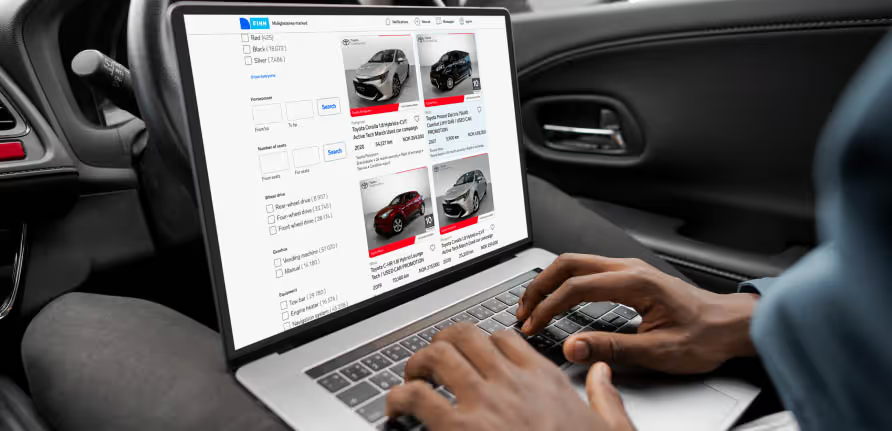
I Norden sammenligner mange kjøpere en rekke annonser på plattformer som FINN.no, Blocket og Bilbasen før de tar kontakt med en forhandler. Annonser med lyse, skarpe og jevnt belyste bilder er enklere å vurdere og oppleves som mer troverdige. Det kan bidra til flere klikk og flere henvendelser.
Bildene av eksteriøret bør vise bilens form tydelig fra alle vinkler. Interiørbildene bør være lyse og enkle å lese, slik at detaljene kommer godt frem. Nærbilder bør være skarpe uten å se overredigerte ut. Gode kamerainnstillinger er grunnlaget for dette. Redigering kan forbedre bildene, men riktige innstillinger fra starten sparer både tid og arbeid senere.
Denne delen fokuserer på innstillinger som fungerer godt for bilforhandlere – ikke profesjonelle studi fotografer. Anbefalingene er laget for å balansere bildekvalitet, effektivitet og jevne resultater.
Disse innstillingene fungerer godt i dagslys og overskyede forhold som er vanlige i Norge, Sverige og Danmark. Hvis lyset blir svakere, bør du øke lukkertiden før du øker ISO. Kornete bilder reduserer opplevd kvalitet.
Mange bilforhandlere fotograferer nå med mobil, spesielt når effektivitet er viktig. Moderne mobiler håndterer blenderåpningen automatisk, men de grunnleggende prinsippene er fortsatt de samme.
Mobiler justerer eksponeringen automatisk, men lysforhold og vinkler har fortsatt stor betydning.
Når du bruker mobil:
Veiledede verktøy som Autopix hjelper deg med riktige vinkler, komposisjon og kontroll av lysforhold før du tar bildet.
Hvorfor det påvirker salget:
Mørke bilder kan virke lite troverdige og gjør det vanskeligere å se viktige detaljer.
Løsningen:
Reduser ISO først, og bruk deretter lengre lukkertid. Bruk redigering kun for finjustering.
Hvorfor det påvirker salget:
Kjøpere får vanskeligere for å sammenligne biler.
Løsningen:
Bruk de samme vinklene for alle kjøretøy. Standardisering skaper tillit.
Hvorfor det påvirker salget:
Forstyrrende bakgrunner tar oppmerksomheten bort fra bilen.
Løsningen:
Bruk faste fotograferingsområder eller verktøy for bakgrunnsjustering som gir et mer konsistent uttrykk.
Konsistens selger flere biler enn kreative variasjoner.
Redigering bør forbedre bildene dine – ikke redde dem. Målet er en rask og effektiv arbeidsflyt med jevne resultater.
Dette bør justeres manuelt:
Dette bør standardiseres:
Standardisert redigering reduserer tiden per annonse og gir et mer konsistent uttrykk for merkevaren.
Autopix hjelper med å automatisere bakgrunnstilpasning og bildeoptimalisering, noe som er spesielt nyttig når du fotograferer i ulike omgivelser på bilplassen. For anbefalte bildestørrelser kan du følge denne guiden om riktige bildestørrelser for bilfotografering.
Kamerainnstillinger tar deg halvveis. Resten handler om arbeidsflyten. Mange forhandlere bruker unødvendig mye tid på å flytte bilder mellom enheter, apper og mapper.
Autopix er utviklet spesielt for nordiske bilforhandlere som trenger både effektivitet og kontroll. Plattformen gir veiledning under fotografering, automatisk forbedring og tilpasning av bakgrunner på ett sted. Dette reduserer manuelle steg og sørger for at alle annonser får et konsistent visuelt uttrykk.
Riktig verktøy fjerner unødvendige manuelle valg og sikrer jevn bildekvalitet.
Hvis du hovedsakelig bruker mobil til fotografering, kan denne guiden om hvordan du tar gode bilder av bilen med mobilen være et nyttig tillegg til oppsettet ditt.