

How to invite a new user to a company?
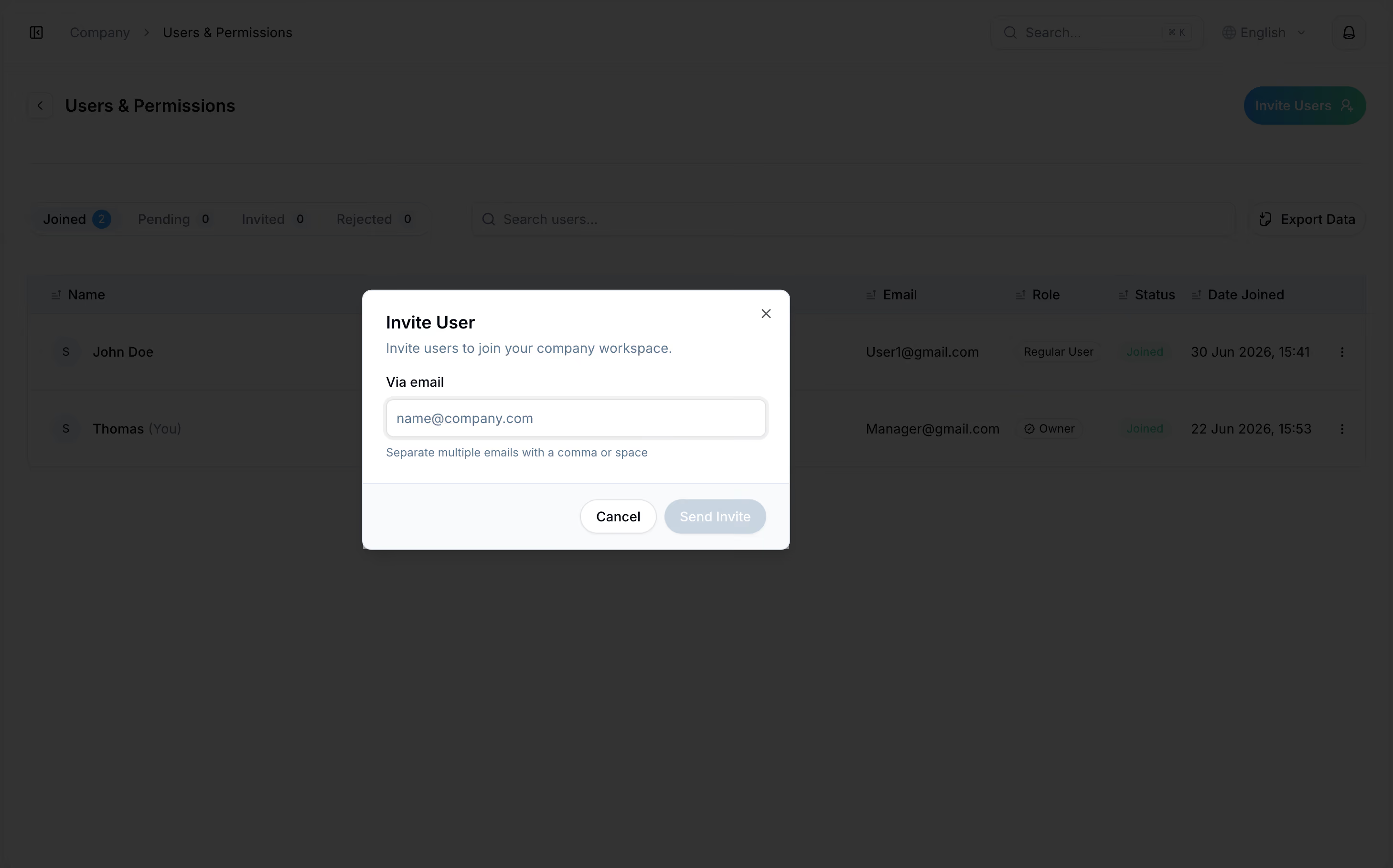
Yon can easily invite your team to share templates and manage orders together in one workspace.
- Log in to your account.
- Click Company category in sidebar.
- Click Manage users under Users & Permissions.
- Click Invite Users button at the top of the page.
- Enter email of the user you want to join your company workspace.
- Click Send Invite.
Invited user will receive an email and will be able to join your company workspace immediately.
Yon can easily invite your team to share templates and manage orders together in one workspace.
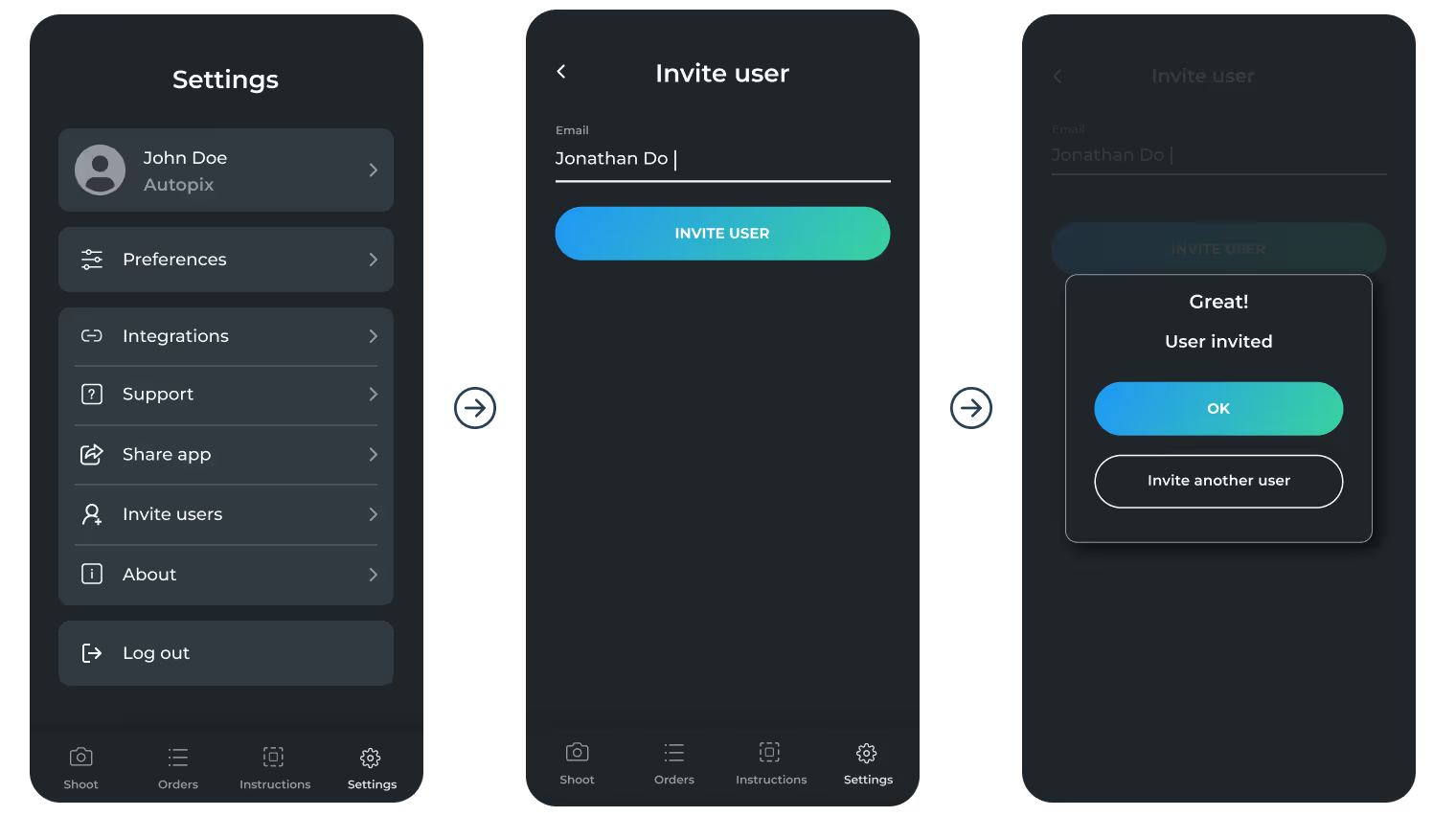
- Log in to your account on the mobile app.
- Tap More in the bottom navigation.
- Select Invite users.
- Enter the email of the person you want to add to your company.
- Tap Invite User.
To see the list of all users, manage invites and permissions, please, visit the web platform.
