

Hur skapar jag en ny Mal?
Genom att tillhandahålla tydliga och detaljerade mallar säkerställer du att dina bilder konsekvent återspeglar ditt varumärke.
- Logga in på ditt konto.
- Klicka på Mallar i sidofältet.
- Klicka på Ny mall högst upp på sidan.
- Välj en bildstorlek (5400 × 3600 px rekommenderas).
- Välj önskad kategori och välj bakgrund och golv.
- Välj om du vill lägga till en logotyp.
- Om du har valt tillägget för logotyp, välj var på bilden den ska placeras.
- Välj tillägget för registreringsskylt om det är tillgängligt för ditt konto.
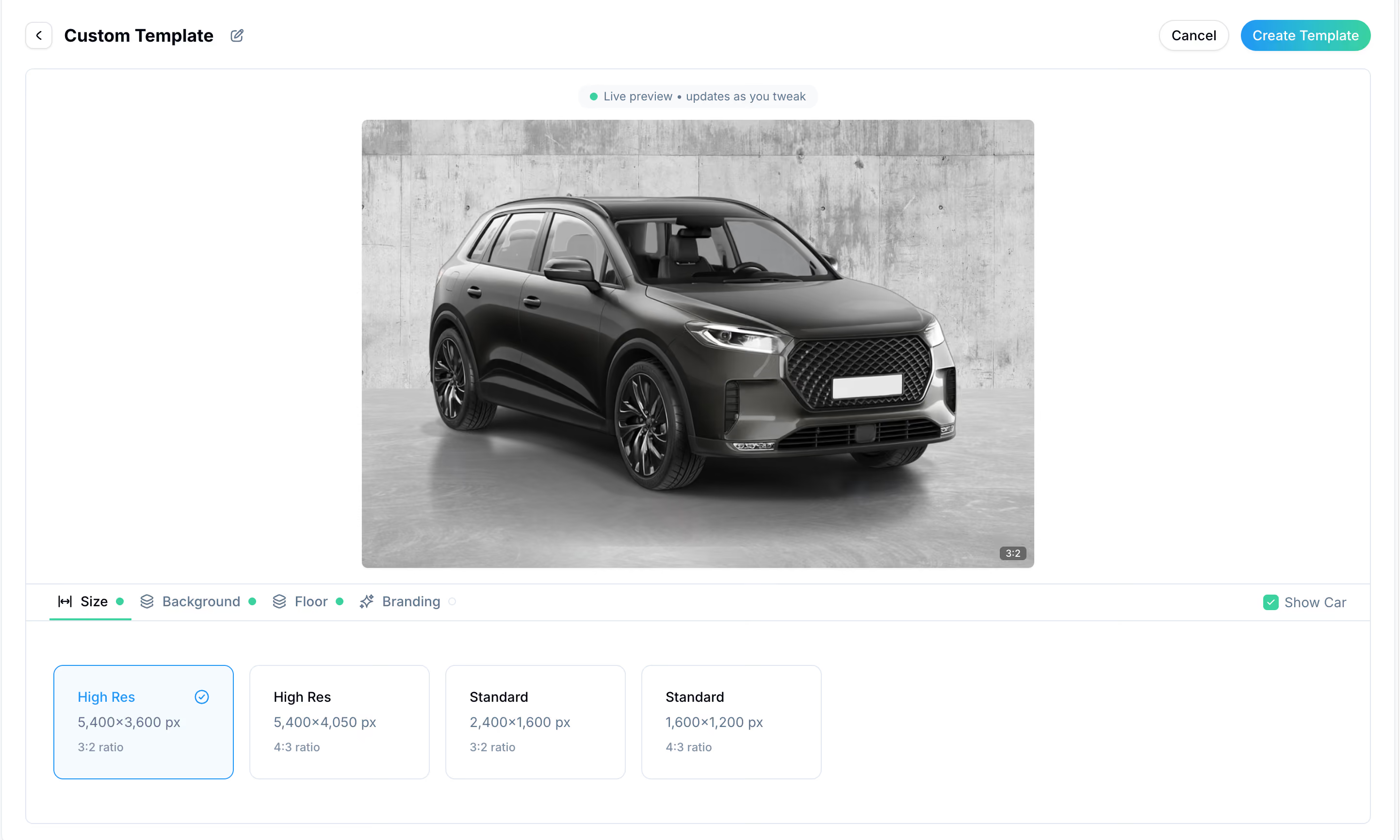
Du kan skapa flera mallar på ditt konto och välja den du behöver när du gör en ny beställning.
Du kan även när som helst redigera befintliga instruktioner under kategorin Instruktioner.
Genom att tillhandahålla tydliga och detaljerade mallar säkerställer du att dina bilder konsekvent återspeglar ditt varumärke.
Appen gör det enkelt att skapa instruktioner som är helt kompatibla med bildredigering av bilar.
- Logga in på ditt konto.
- Klicka på Mallar i navigeringsmenyn längst ner.
- Klicka på Skapa ny mall högst upp på skärmen.
- Välj bland rekommenderade kombinationer eller klicka på Skapa egen.
- Välj önskad kategori och välj bakgrund och golv.
- Välj bildstorlek (5400 × 3600 px rekommenderas).
- Välj om du vill lägga till en logotyp.
- Om du valde Ja, välj var logotypen ska placeras på bilden.
- Välj tillägget för registreringsskylt, om det är tillgängligt för ditt konto.
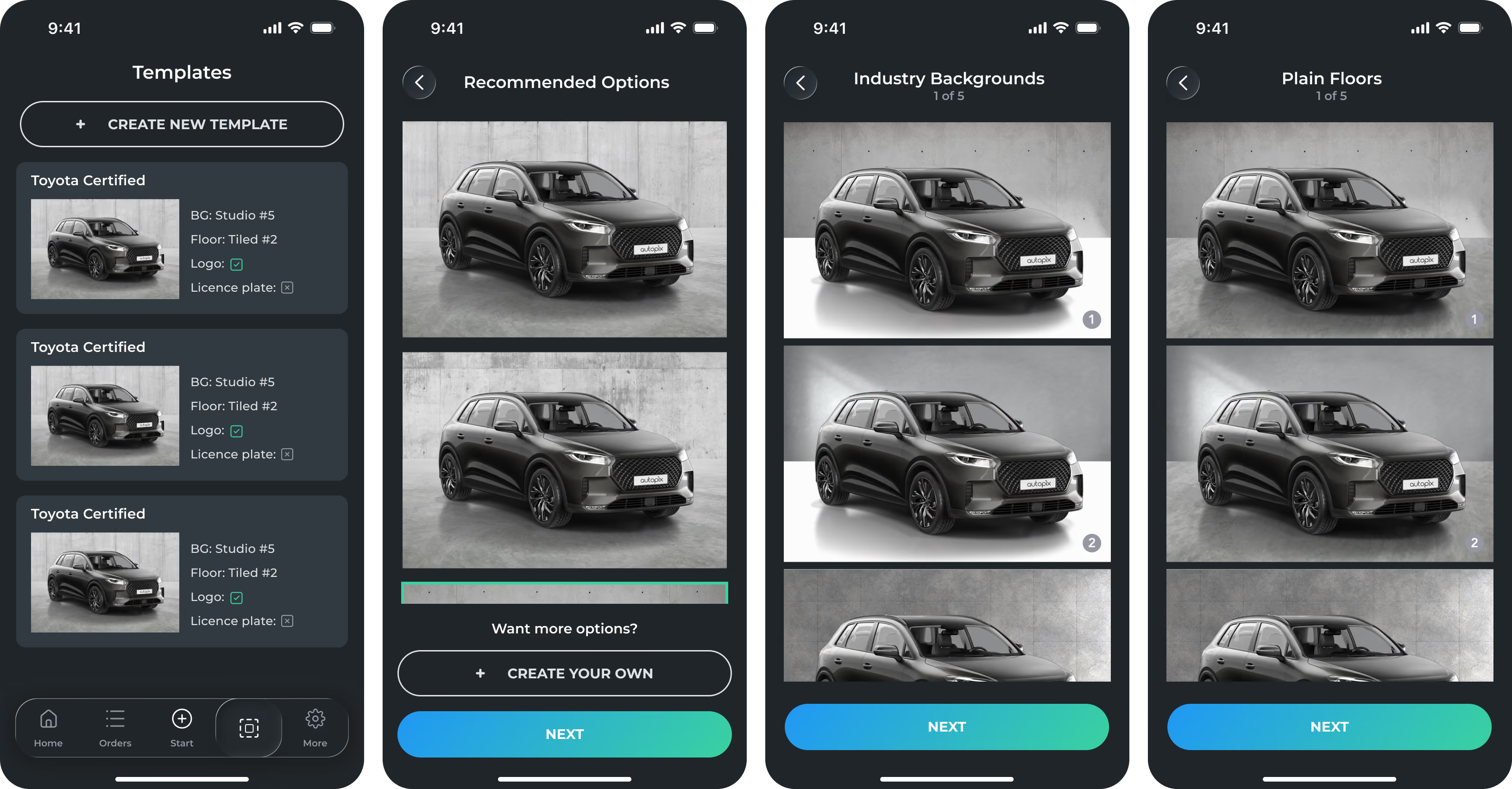
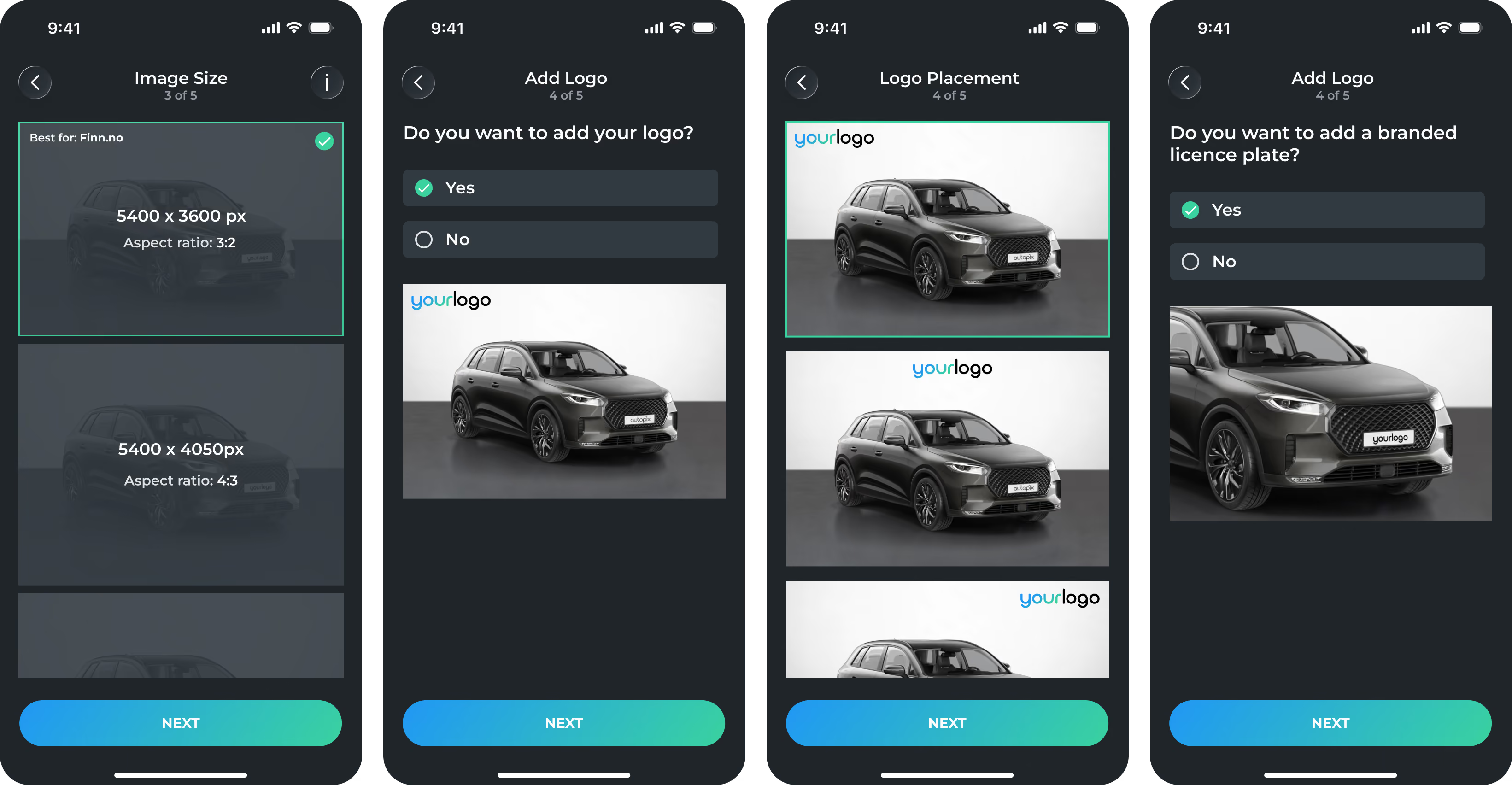
Du kan skapa flera mallar på ditt konto och välja den du behöver när du gör en ny beställning.
Du kan även redigera befintliga instruktioner när som helst under kategorin för mallar.
